
How to find the best Whop clipping campaigns in seconds
Step-by-step guide · 5 min read
Part 1
Why most campaigns aren't worth it
There are more than 700 active campaigns on Whop Content Rewards right now, and most of them aren't worth your time.
Pick the wrong campaign and you'll spend days editing for nothing. That's how most new clippers burn out and quit, thinking clipping is a scam. It isn't. They just picked the wrong campaigns.
A campaign is worth clipping when it has four factors:
In this guide, I'll show you how to find these campaigns in seconds with the HopVisor Chrome extension, instead of spending hours searching manually.
Part 2
Install HopVisor (1 minute)
- 1
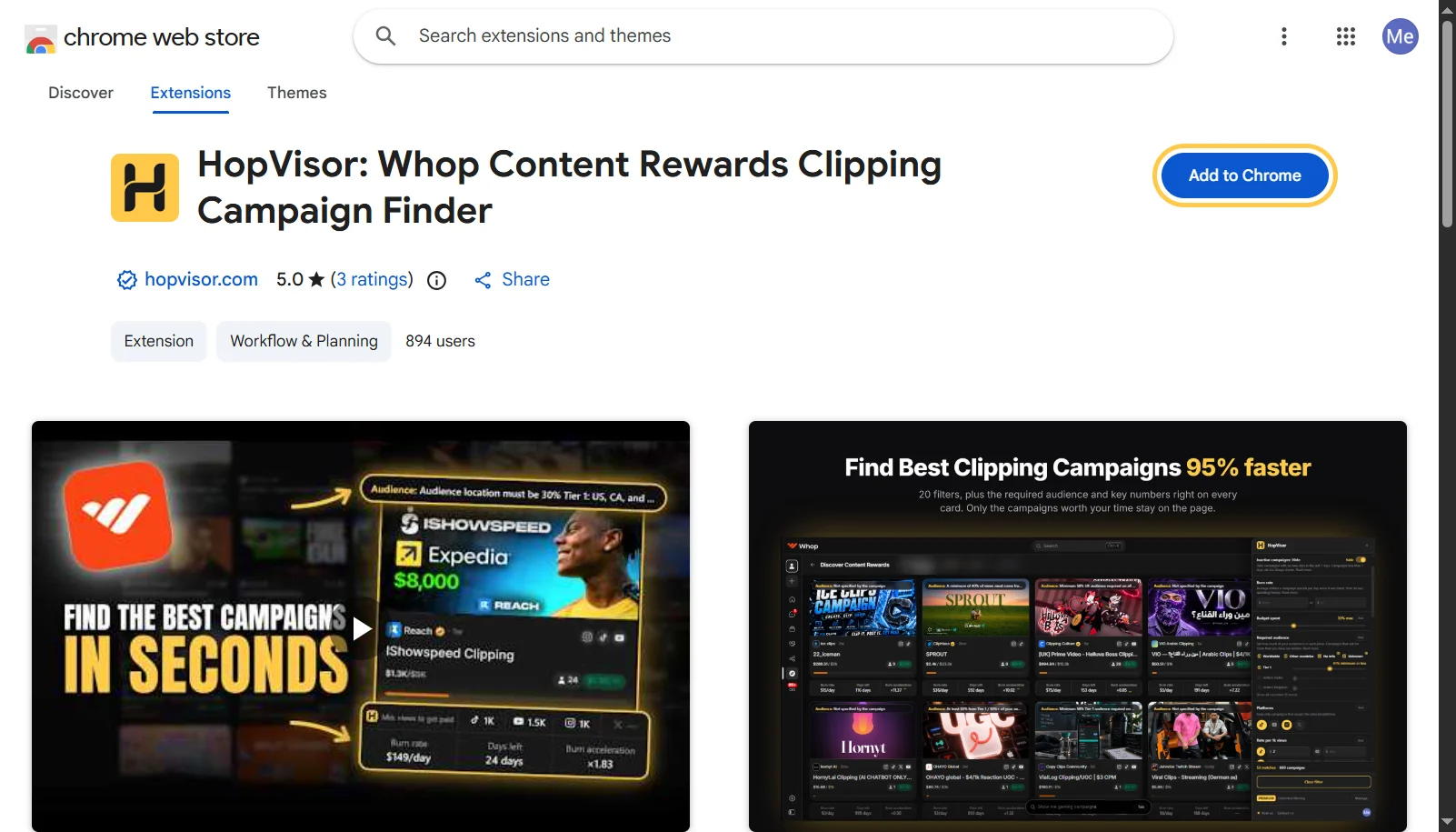
Add HopVisor to Chrome
Click the button above, then click “Add to Chrome” on the Chrome Web Store page and confirm with “Add extension”.
- 2
Pin it to your toolbar
Click the puzzle icon at the top right of Chrome, find HopVisor, and click the pin next to it. Now HopVisor is always one click away.
whop.com/discover/app/… ExtensionsHopVisorAnother extension
- 3
Open Whop Content Rewards
Go to the Content Rewards campaigns page on Whop. HopVisor only works on this page.
Open Whop Content Rewards ↗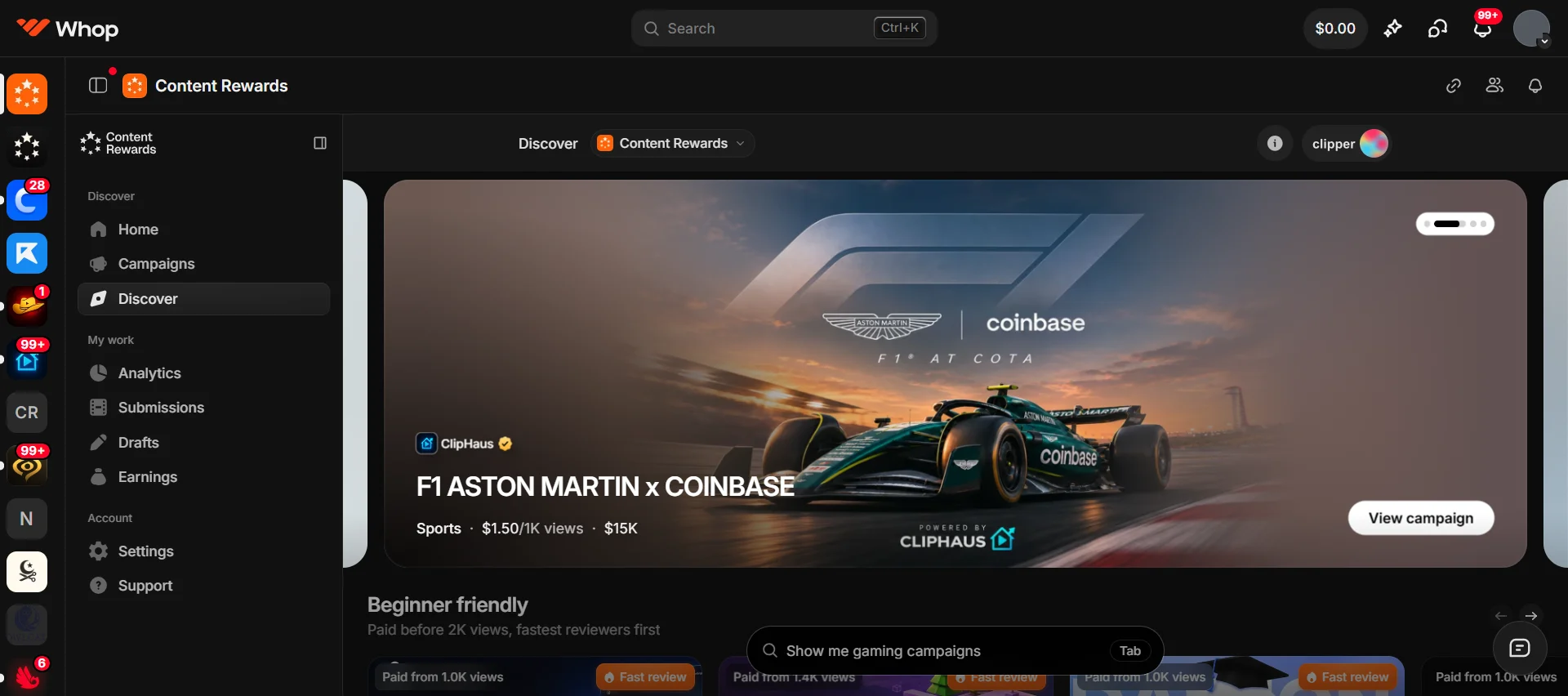
- 4
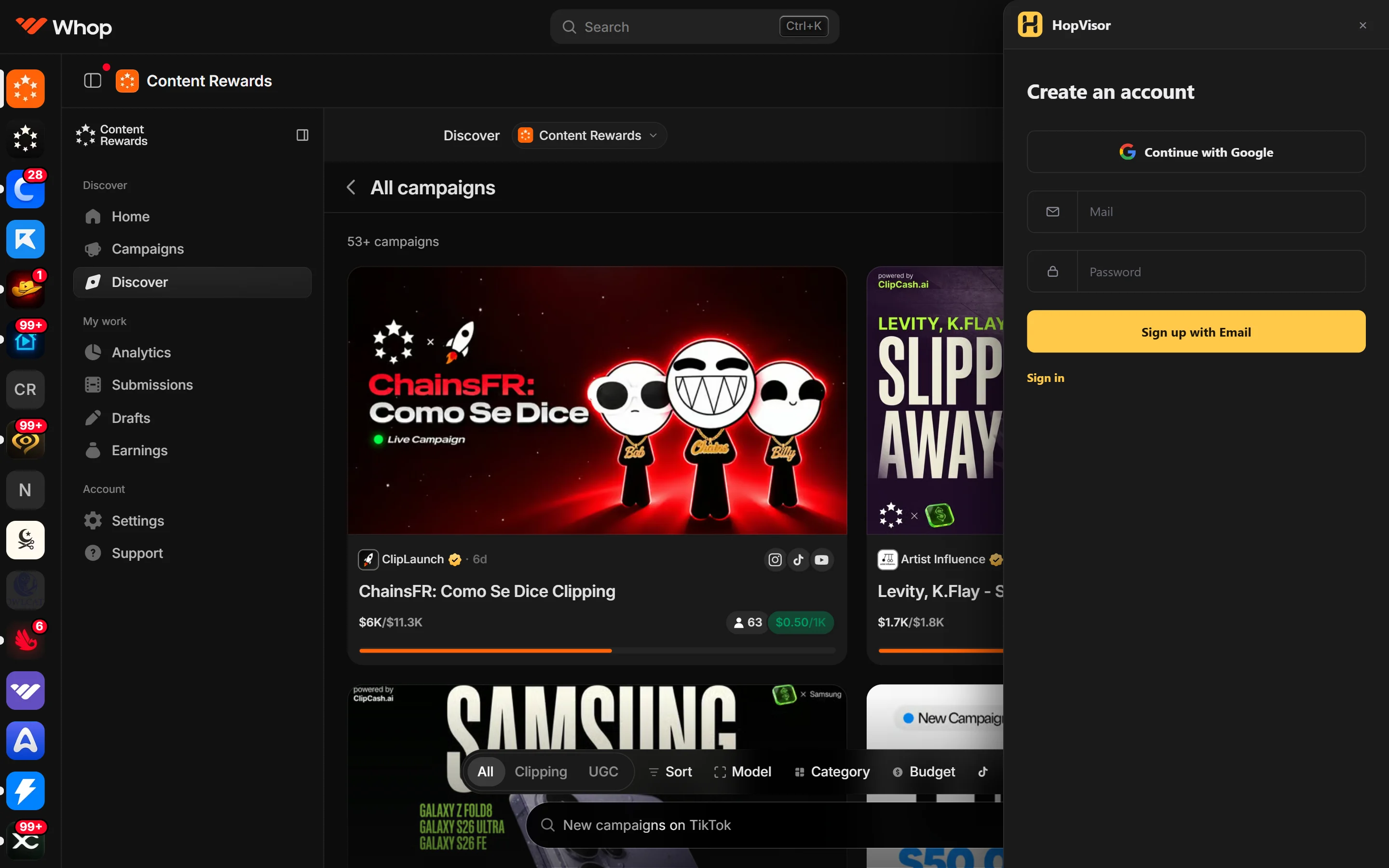
Open HopVisor and sign in
Click the HopVisor icon in your toolbar. The panel opens on the right side of the page. Sign in with Google or your email, and you're ready.
Part 3
Find the best campaigns with the 4 factors
1. Trust
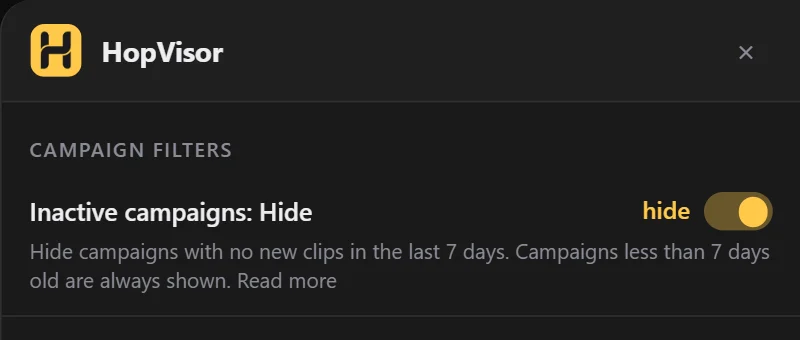
A good campaign has to be active. If a campaign hasn't approved any clips in the last 7 days, it's either dead or a scam. Your clips will sit in “pending” forever and never get paid.
Filter we'll use
- Inactive campaignsHide
2. Profitability
A profitable campaign pays you well for your views, still has money left to pay you, and won't run out before your clips get reviewed. A high rate means nothing if the budget is almost gone or the campaign ends tomorrow.
Filters we'll use
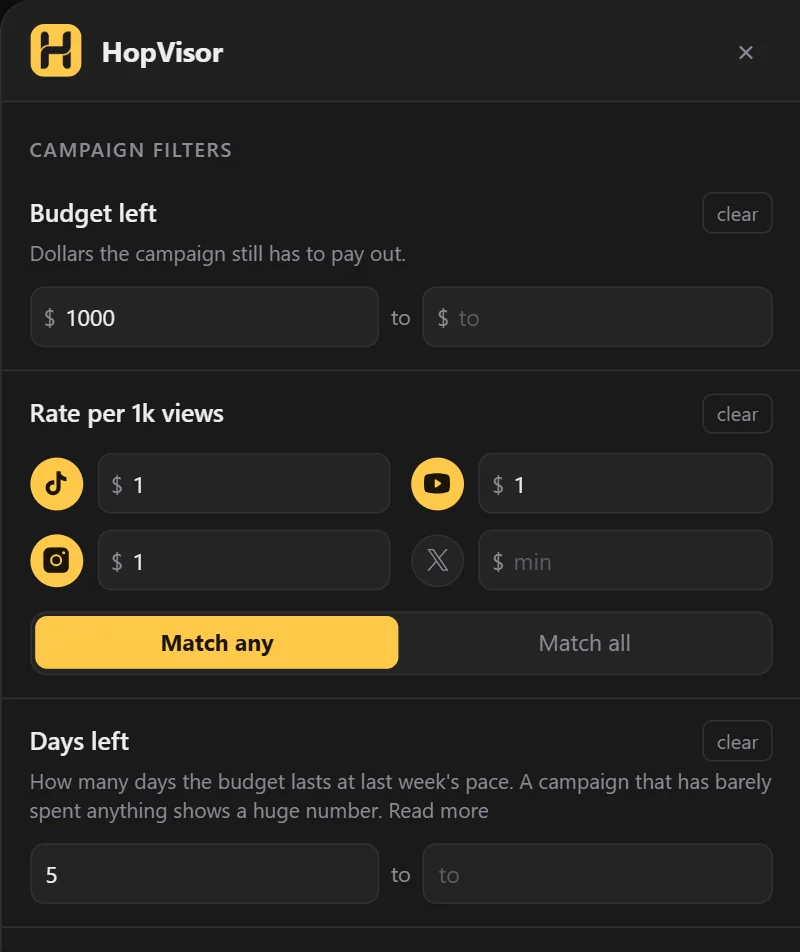
- Rate per 1k viewsHow much you earn for every 1,000 views.
- Budget leftHow much money is still there to pay clippers.
- Days leftThe estimated days left before the campaign spends its whole budget.
3. Ease
An easy campaign is one you can join and start earning from today, with the account you already have. No waiting for approval, no special account rules, no audience requirement you can't meet, and no huge view count before you get paid.
If 70% of your viewers are from Europe, a campaign that needs 60% US views will never pay you. And if your clips usually get 3K views, a campaign that only pays after 10K views will pay you nothing.
Filters we'll use
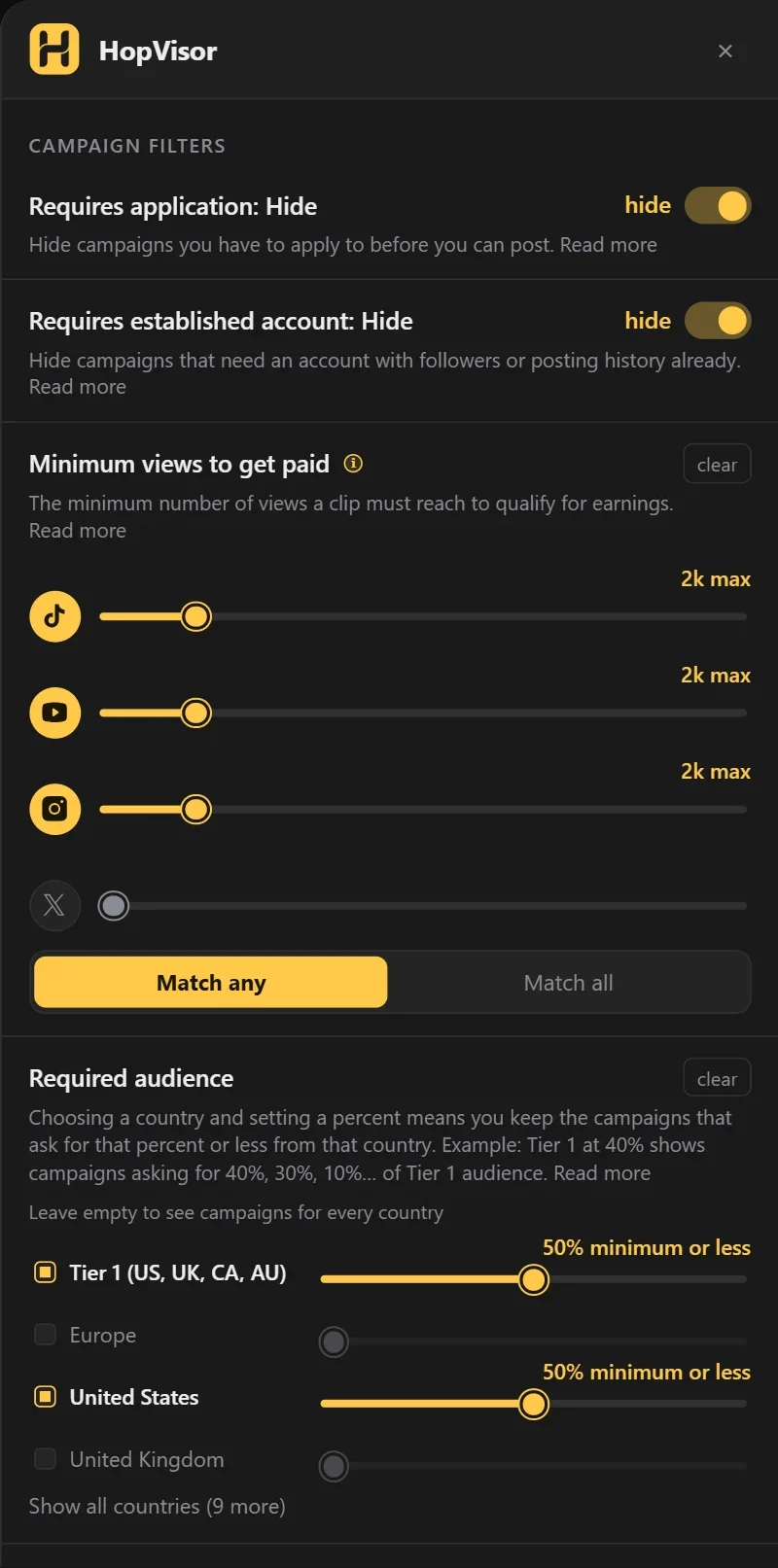
- Requires applicationHide
- Requires established accountHide
- Required audience
- Minimum views to get paidThe number of views a clip must reach before it earns anything.
4. Virality
Some topics just get more views. A clip of a famous streamer or a popular game makes people stop scrolling, because they already know who it is. A clip about an app nobody has heard of has to work much harder for the same views.
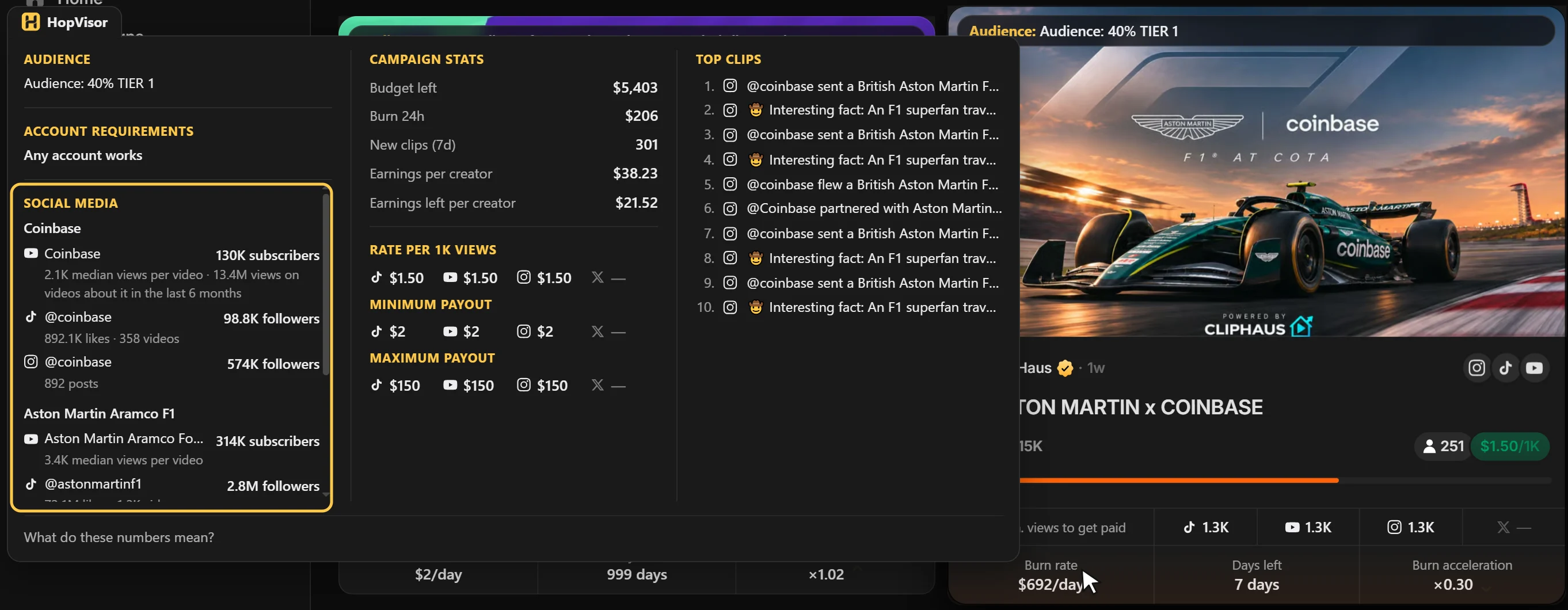
HopVisor shows you how big the person or brand in the clips is. Move your mouse over the banner at the bottom of any campaign card, and the popup shows the Social media card with their YouTube subscribers and their TikTok and Instagram followers. The bigger the audience, the easier the views.
Your starter setup
Here's the full setup from this guide:
| Filter | Setting |
|---|---|
| Inactive campaigns | Hide |
| Requires application | Hide |
| Requires established account | Hide |
| Required audience | For example, Tier 1 and USA at 50%. Pick the countries where your viewers come from. |
| Minimum views to get paid | 2K maximum |
| Rate per 1k views | $1 minimum |
| Budget left | $1,000 minimum |
| Days left | 5 days minimum |
| Campaign age | 20 days maximum |
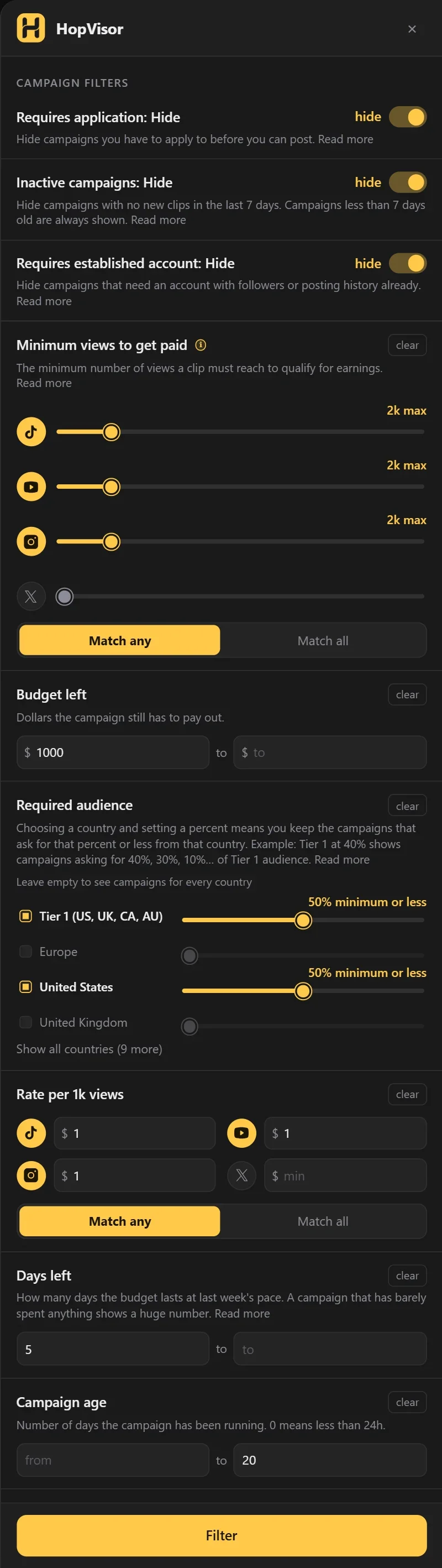
Click Filter, and HopVisor shows you only the campaigns worth clipping. Open the top ones, check their virality, and start clipping.